

Bridging the Gap: Accessibility Principles in Architecture and UX Design

Updated: Jul 24, 2024

By: Ankita Thatte , UX Designer
As a female UX designer, I've always been fascinated by the parallels between the built environment and the digital realm. Both fields aim to create spaces where people can navigate and interact seamlessly, and both must consider accessibility to ensure inclusivity for all users. Here, I explore the shared principles of accessibility in architecture and UX design, drawing from my experiences and insights.
Understanding Accessibility
Accessibility is about making spaces—whether physical or digital—usable for everyone, regardless of their abilities. It's a commitment to inclusivity, ensuring that all users can access and benefit from the environments we create.
Principle 1: Universal Design
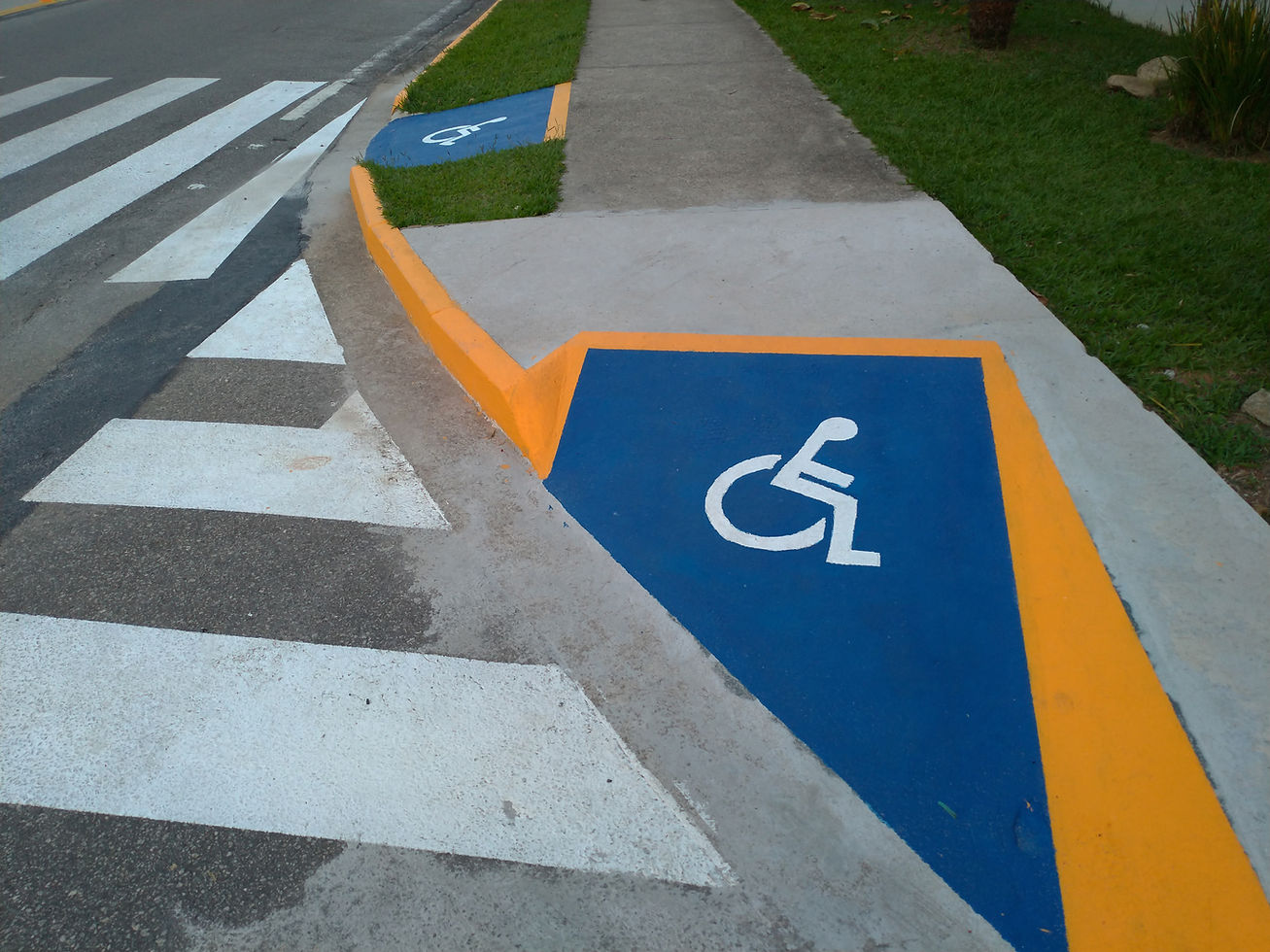
In architecture, universal design is the cornerstone of accessible buildings. Features like ramps, wide doorways, and tactile signage are designed to be usable by everyone, from people with disabilities to the elderly and even young children.
In UX design, universal design translates to creating interfaces that are intuitive and usable for all users. This includes providing alternative text for images, ensuring keyboard navigability, and using clear, simple language. Just as a ramp helps wheelchair users, these features help users with diverse needs access digital content.
Principle 2: Flexibility in Use
Architectural spaces are often designed to be flexible. Think of a conference room with movable walls or adjustable seating that can accommodate different group sizes and activities.
Similarly, in UX design, flexibility means creating adaptable interfaces that cater to various user preferences and needs. This might involve offering multiple ways to perform a task, such as using voice commands or touch inputs, and allowing users to customize their settings. Flexibility ensures that everyone can find a way to interact with a product that works for them.
Principle 3: Simple and Intuitive Use
Good architectural design makes it easy for people to find their way around. Clear signage, logical layouts, and intuitive paths help users navigate spaces without confusion.
In UX design, simplicity and intuitiveness are achieved through clean layouts, straightforward navigation, and consistent design patterns. Users should be able to understand how to use a digital product without needing extensive instructions. For example, a well-designed app guides users through tasks with clear prompts and feedback, just as effective signage guides people through a building.
Principle 4: Perceptible Information
Architecture often incorporates visual, auditory, and tactile elements to convey information. For instance, auditory signals at pedestrian crossings and tactile paving help those with visual impairments.
In UX design, perceptible information involves making sure that all users can access content through various sensory channels. This includes providing captions for videos, using high-contrast color schemes, and ensuring that text is readable by screen readers. Just as a tactile paving strip informs a blind person of a crosswalk, these digital elements ensure that users with disabilities receive the necessary information.
Principle 5: Tolerance for Error
Architectural designs often include safety features to prevent accidents, such as handrails and non-slip surfaces.
In UX design, tolerance for error means creating forgiving interfaces that help users avoid mistakes and recover from them easily. This can be achieved through features like undo buttons, clear error messages, and confirmation prompts. These elements ensure that users feel safe and confident while using digital products, just as handrails provide stability and security in physical spaces.
Principle 6: Low Physical Effort
In architecture, low physical effort translates to designs that minimize physical strain. Automatic doors and accessible restroom facilities are prime examples.
In UX design, reducing effort involves streamlining user interactions. This can be done by minimizing the number of steps to complete a task, optimizing load times, and designing responsive and efficient interfaces. A low-effort experience is essential for all users, particularly those with motor impairments.
Conclusion: A Shared Vision for Inclusivity
The principles of accessibility in architecture and UX design both aim to create environments that are inclusive and welcoming to everyone. As a UX designer, I often draw inspiration from architectural principles to enhance my designs, ensuring that they are accessible, flexible, and intuitive.
By embracing these shared principles, we can build a world—both physical and digital—where everyone feels empowered and included. After all, accessibility is not just a feature; it's a fundamental aspect of good design that benefits us all.



Comments